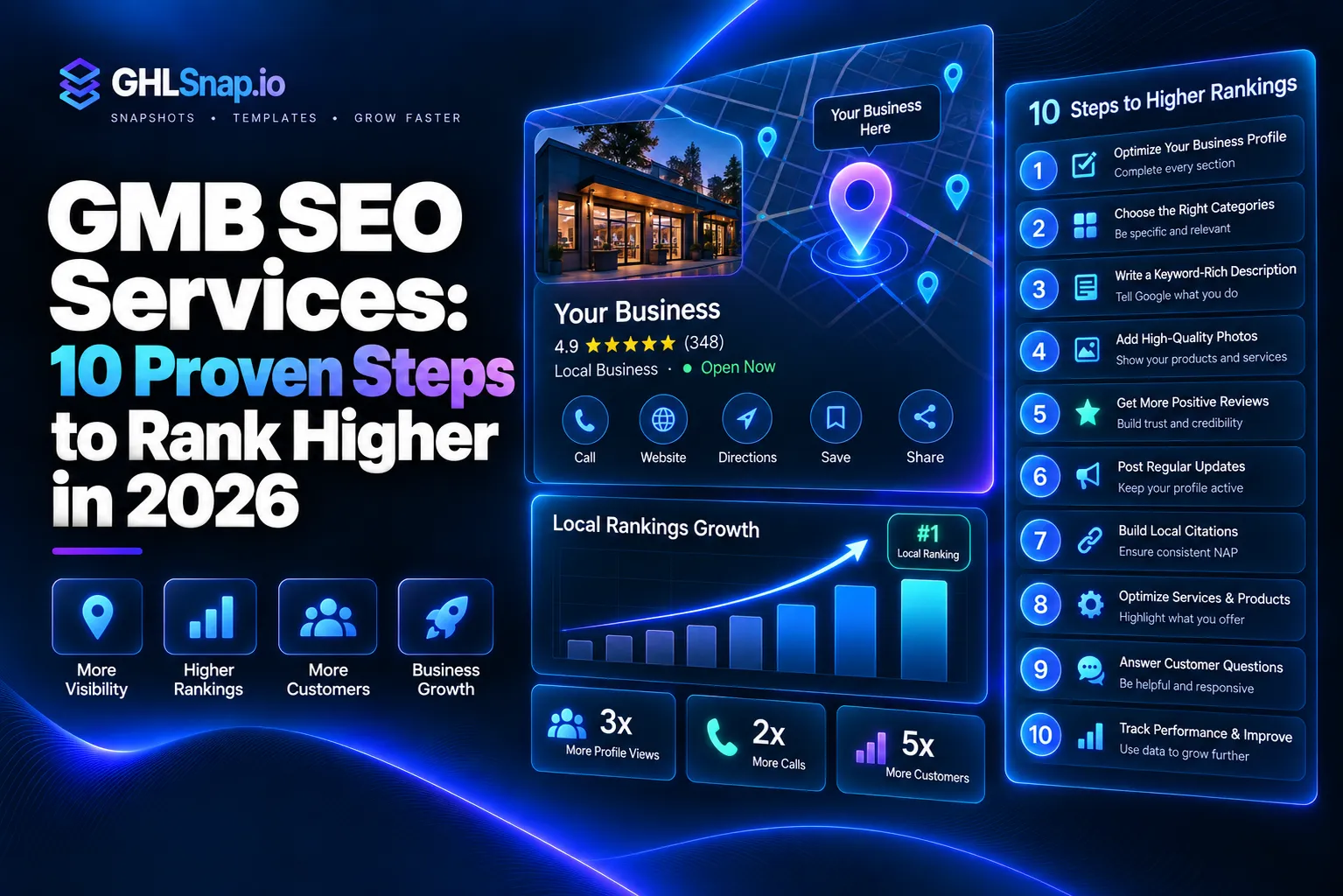
GMB SEO services are done for you tasks that help your Google Business Profile show up higher in Google Maps and local search. GMB stands for Google My Business, which Google now calls Google Business Profile. A good GMB SEO service fixes your profile, builds reviews, and keeps your listing active so more nearby people call you.
In this guide, you will learn what these services include, what drives the cost, how to do the work yourself, and how GoHighLevel can make the whole job easier. Every tip here is based on Google’s own rules, so you can trust it.
What Are GMB SEO Services?
Think of your Google Business Profile as your shop window on Google. When someone searches “plumber near me,” Google shows a map with three businesses at the top. That spot is called the local pack, and it gets a lot of clicks. That is what GMB SEO services are all about.
GMB SEO services, also called Google Business Profile SEO, are the steps an expert takes to help you win that spot. The work is not magic. It is mostly careful setup, steady updates, and lots of real customer reviews.
Google is clear about one thing. In its official guide on local ranking, Google says there is no way to request or pay for a better local ranking. So any company that promises a paid shortcut is not being honest with you.
How Google Ranks Local Businesses
Google says it looks at three main things when it picks which businesses to show: Good GMB SEO services work with these same factors.
- Relevance: How well your profile matches what the person searched for.
- Distance: How far your business is from the person searching.
- Prominence: How well known your business is. Reviews and links to your website help here.
You cannot change distance. But a good GMB SEO service works hard on relevance and prominence, because those are the parts you control.
What a GMB SEO Service Includes
Most providers offer a similar set of tasks. Some charge once for setup, and others charge every month. Here is what you should expect from a solid GMB SEO service. Most GMB SEO services cover the parts below.
1. Profile Setup and Verification
The first job is to claim and verify your profile. Google says verified profiles look more trustworthy and are less likely to be suspended. If someone else claimed your listing in the past, a pro can help you get it back.
2. Full Profile Optimization
Google tells business owners to fill in every field with correct details. That means your name, address or service area, phone number, website, hours, and categories. Your business name should match what is on your sign and your truck. Adding extra keywords to your name breaks Google’s rules and can get you suspended. This step is a core part of GMB SEO services.
3. Category and Service Selection
Your main category is one of the strongest relevance signals. A roofer should pick “Roofing contractor,” not something vague. Experts also add your services and short, clear descriptions so Google knows exactly what you do.
4. Photos and Posts
Real photos of your team, your work, and your location help people trust you. Many services also publish regular posts with offers, updates, and news. This keeps the profile fresh and gives searchers more reasons to click. Fresh photos and posts are common in GMB SEO services.
5. Review Building and Replies
Reviews are a big part of prominence. A good service sets up a simple way to ask happy customers for reviews. It also replies to every review, good or bad, in a calm and helpful way. Reviews are a key focus of GMB SEO services.
6. Citations and Website Signals
Citations are mentions of your name, address, and phone number on other sites, like Yelp or local directories. These details should match your profile everywhere. Services also make sure your website has a page for each main service and your city.
7. Tracking and Reports
You should get a report that shows calls, direction requests, website clicks, and how your rankings change. Google Business Profile has its own performance data, so you can check the numbers yourself too. Clear reports show if your GMB SEO services are working.
How Much Do GMB SEO Services Cost?
Creating a Google Business Profile is free. You only pay when you hire someone to manage it. Most agencies do not show prices on their websites, and costs change a lot from one provider to the next. Prices for GMB SEO services can differ from one provider to the next.
Instead of guessing numbers, it helps to know what pushes the price up or down. Use this table to compare offers.
| Cost Factor | Lower Cost | Higher Cost |
|---|---|---|
| Type of work | One time setup and cleanup | Ongoing monthly management |
| Number of locations | One location | Many locations |
| Competition | Small town, few rivals | Big city, crowded niche |
| Review work | Basic reply help | Full review request system and replies |
| Extras | Profile only | Citations, website pages, and reports |
| Who does it | Freelancer | Full agency team |
Be careful with very cheap offers that promise “top 3 in 7 days.” Google does not sell rankings, so nobody can promise a fixed spot. Ask every provider exactly what they will do each month.
DIY Google Business Profile SEO: Step by Step
You can do much of this work on your own. It takes time, but the steps are simple. Follow this plan to give your profile a strong start. You can do these steps yourself before you pay for GMB SEO services.
- Claim your profile. Go to Google Business Profile, search for your business, and claim it. Then finish the verification steps Google gives you.
- Use your real business name. Write it exactly as it appears in the real world. Do not stuff in keywords.
- Pick the best main category. Choose the one that fits your core service. Add a few extra categories only if they are true.
- Fill in every field. Add your phone, website, hours, service area, and a clear description of what you do.
- Add your services. List each service with a short, plain description.
- Upload real photos. Show your work, your team, your vehicles, and your storefront if you have one.
- Ask for reviews after every job. Send a short text or email with your review link. Never pay for reviews or offer gifts in return, since Google does not allow that.
- Reply to every review. Thank happy customers and calmly fix problems with unhappy ones.
- Post often. Share an update, offer, or project photo every week or two.
- Keep details the same everywhere. Your name, address, and phone should match on your website and in local directories.
Google’s Business Profile guidelines explain these rules in more detail. Read them once so you never make a mistake that leads to a suspension.
Common Google Business Profile SEO Mistakes
Many owners hurt their own rankings without knowing it. Watch out for these problems:
- Adding city names or keywords to the business name.
- Using a fake address or a virtual office.
- Letting reviews sit with no reply for weeks.
- Buying fake reviews, which can get reviews removed or the profile suspended.
- Setting up the profile once and never touching it again.
- Showing old hours, especially on holidays.
How GoHighLevel Helps With GMB SEO Services
The hardest part of Google Business Profile SEO is not the setup. It is getting reviews and replying to them every single week. This is where GoHighLevel really helps, whether you run your own business or offer GMB SEO services to clients.
According to the official GoHighLevel reputation management page, the platform includes these tools:
- Automatic review requests: Send review requests by text and email after every appointment or sale.
- One review dashboard: See reviews from Google Business Profile and Facebook in one place.
- AI review replies: Built in AI helps draft on brand replies in seconds.
- Reputation tracking: Watch star ratings, review count, and customer mood over time.
- Fake review disputes: Tools to help flag and challenge fake reviews.
- Unified inbox: Reviews, texts, emails, and chats all land in one inbox next to your CRM.
Why This Matters for Local Rankings
Remember that reviews help prominence, one of Google’s three ranking factors. When review requests go out on autopilot, you collect more real reviews without chasing anyone. Fast replies also show new customers that you care.
For agencies, this means you can deliver a GMB SEO service to many clients without doing every task by hand. You set the system up once, and it keeps working.
Save Time With Ready Made Snapshots
Building review workflows, funnels, and follow up texts from scratch takes days. A GoHighLevel snapshot loads a full setup into your account in minutes. Our niche snapshots are built for local businesses like roofing, HVAC, plumbing, electricians, cleaning, and home improvement, which are the same businesses that depend on Google Maps.
How to Choose the Right GMB SEO Service
If you would rather hire help, ask these questions before you sign anything: Ask these questions before you hire GMB SEO services.
- What exact tasks will you do each month?
- How do you get reviews, and do you follow Google’s rules?
- Will I own my profile and keep full access?
- What reports will I get, and how often?
- Can you show results for businesses like mine?
A good provider will answer clearly. Walk away from anyone who promises guaranteed rankings or asks to be the only owner of your profile.
Final Thoughts
GMB SEO services help local businesses get found on Google Maps by building a complete profile, steady reviews, and fresh activity. You can do the work yourself with the steps above, or hire an expert who follows Google’s rules. Either way, reviews and consistent updates are what move the needle over the long term. Pick GMB SEO services that are clear and honest with you.
Your next step is simple. Claim your profile today and fix any missing details. Then, if you want review requests and follow ups to run on autopilot, browse the ready made GoHighLevel snapshots at ghlsnap.io and launch a proven system for your niche this week.