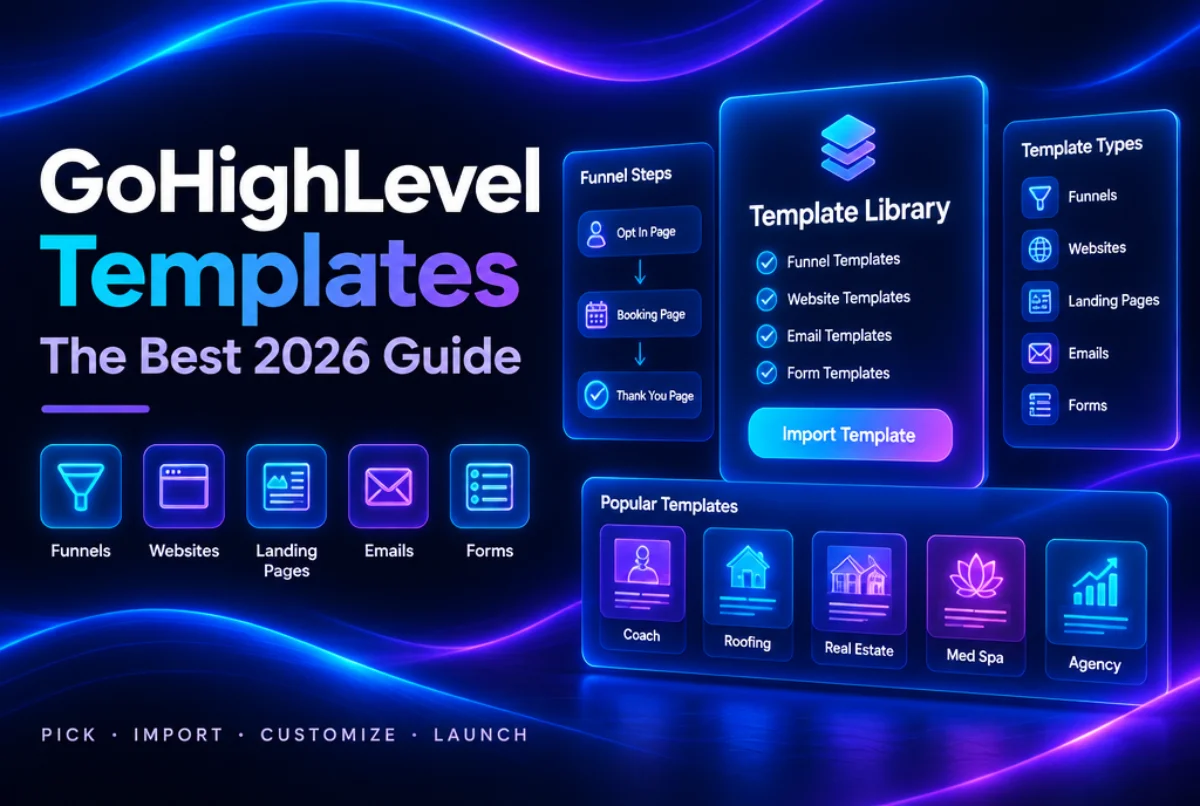
GoHighLevel templates are ready made designs you can load into your account and turn into a live funnel, website, landing page, email or form in minutes. Instead of starting with a blank page, you start with a layout that already has headlines, buttons, images and forms in the right places. You only swap in your own words, colors and offer.
In this guide you will learn what kinds of GoHighLevel templates exist, where to find them inside the platform, how to import a funnel template from a share link, and how to pick a landing page template that actually brings in leads. Everything here follows the official HighLevel help docs and what we see when we build client accounts every week.
What Are GoHighLevel Templates?
A template is a starting point for one single asset. A funnel template gives you funnel pages. An email template gives you one email layout. A form template gives you one form. You then edit it to fit your business.
HighLevel keeps most of these in one place called the Template Library. The official HighLevel help center describes it as a collection of designer made templates for websites, funnels, social posts, emails and more, and they come with stock images and sample content so you are not staring at empty boxes.
It helps to know how a template is different from a snapshot:
- A template is one asset, like one funnel or one email.
- A snapshot is a full package. It can hold funnels, websites, workflows, pipelines, calendars, forms and email templates, all wired together.
So if you only need a page, a template is enough. If you want the whole system, with automations that follow up on every lead, a snapshot is the better fit. Our guide on what a GoHighLevel snapshot is explains that difference in more detail.
Types of GoHighLevel Templates You Can Use
HighLevel has templates for almost every part of the platform. Here are the main types and where you will find each one.
| Template Type | Where to Find It | Best Used For |
|---|---|---|
| Funnel templates | Sites, then Funnels, then New Funnel | Lead capture, booking and sales pages |
| Website templates | Sites, then Websites, then New Website | Full business sites with many pages |
| Email templates | Marketing, then Emails, then Templates | Newsletters, offers and follow ups |
| Form templates | Sites, then Forms, then Add Form, then From Template | Contact, quote and booking forms |
| Survey templates | Sites, then Surveys, then Add Survey, then From Template | Quizzes and lead qualifying |
| Social post templates | Marketing, then Social Planner, then New Post | Ready social graphics and captions |
| Ad templates | Marketing, then Ads Manager, then Create Ad | Facebook and Instagram ads |
| Document templates | Documents, then Create New | Proposals and contracts |
Most people search for GoHighLevel templates because they want funnels and landing pages, so the rest of this guide focuses on those.
How to Find GoHighLevel Templates in the Template Library
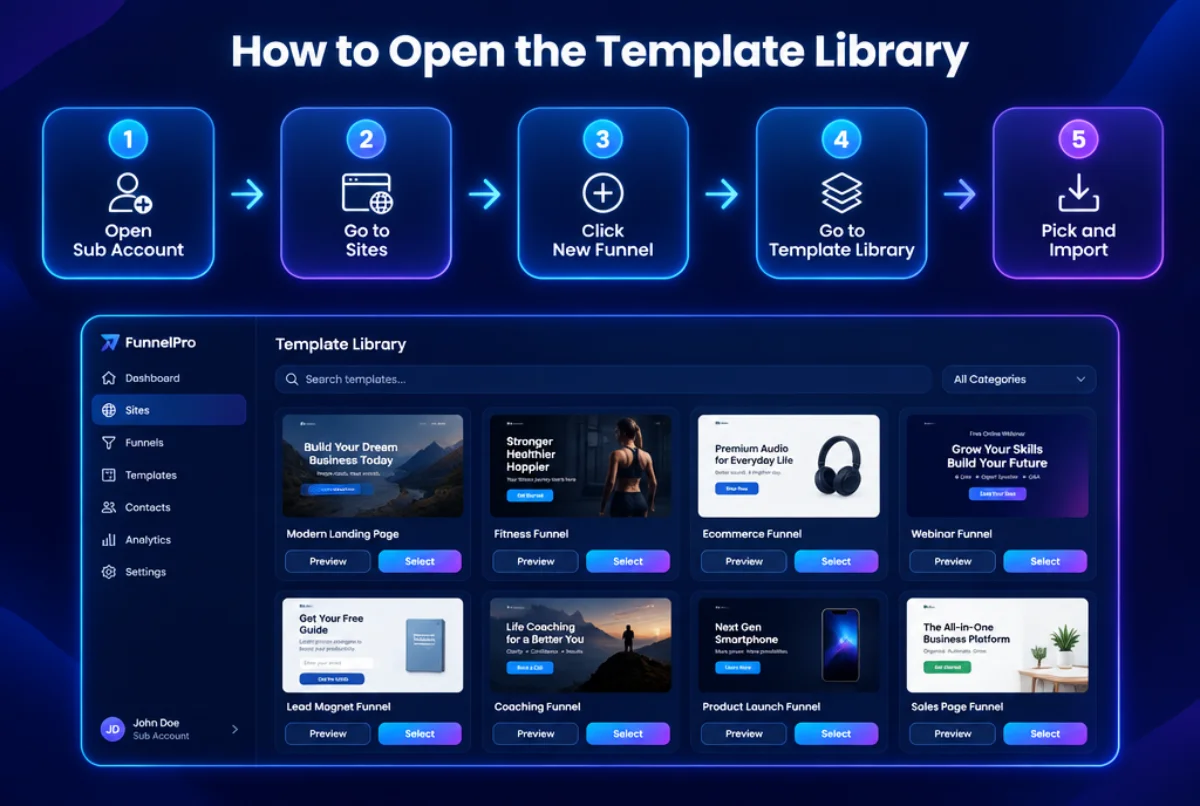
These steps come straight from the HighLevel Template Library help article. The whole process takes about two minutes.
- Open your sub account. Templates are used inside a client or business account, not in agency view.
- Go to Sites. Click Funnels if you want a funnel, or Websites if you want a full site.
- Click New Funnel or New Website.
- Choose Go to Template Library.
- Browse and preview. Use the search bar, filter by color, and switch between mobile and tablet previews before you pick.
- Select the template. HighLevel adds it to your account and you can start editing.
If you are an agency and your clients cannot see the library: go to Agency Settings, then Company, scroll to the right, and turn on the option that makes templates visible to clients.
Good news on price. HighLevel says the Template Library is open to all users with no extra fee. If you want to add your own designs to the library for your clients, the help docs say that feature is on the $497 plan and above.
Do not have an account yet? You can start your HighLevel trial here and open the library on day one.
GoHighLevel Funnel Templates: The Main Types
A funnel template is a group of pages in a set order. Each step moves the visitor closer to one action. These are the funnel types we see work best for small businesses and agencies:
- Lead magnet funnel: an opt in page that gives away a free guide or checklist, then a thank you page.
- Free consultation funnel: a short page with a calendar so leads can book a call.
- Webinar funnel: a sign up page, a confirmation page and a replay page.
- Sales funnel: a sales page, an order form, an upsell and a thank you page.
- Local service funnel: a quote request page for roofers, plumbers, cleaners and other trades.
- Quiz or application funnel: a few questions that sort good leads from poor ones before a sales call.
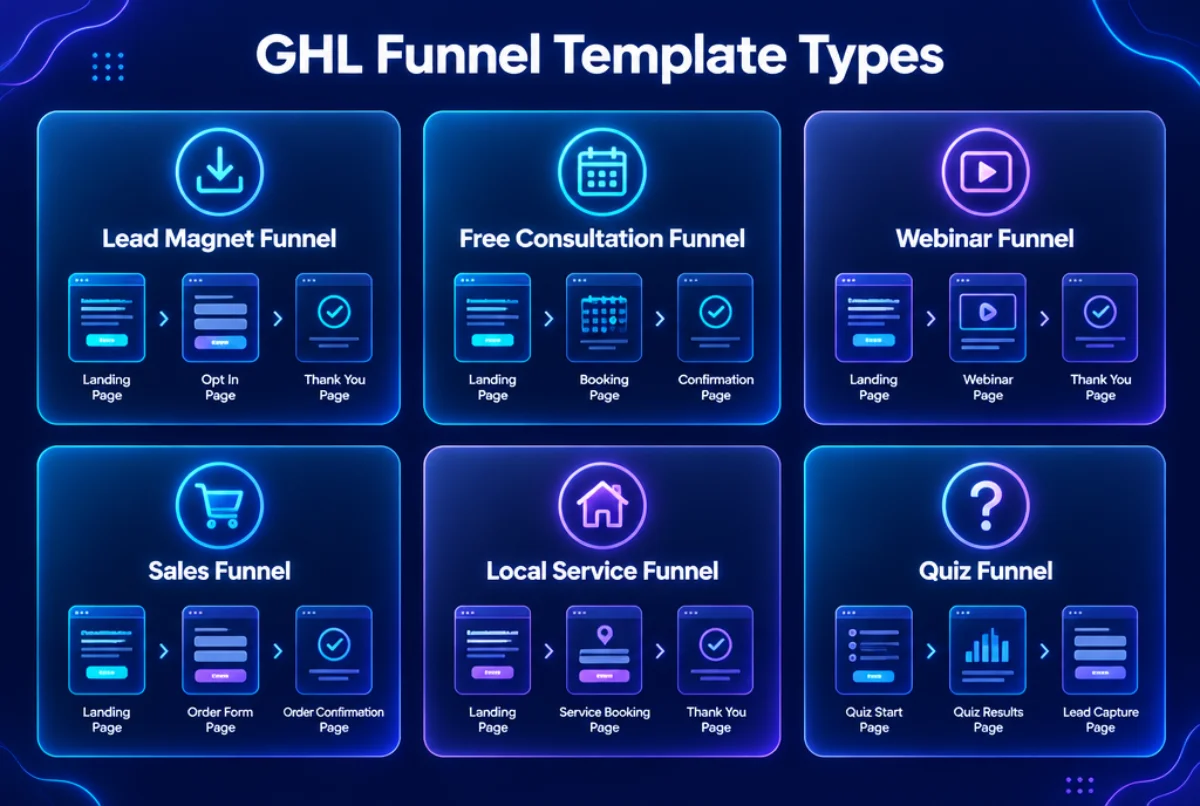
Pick the funnel type that matches the one action you want. If you want booked calls, do not use a webinar funnel. Keep it simple and match the template to the goal.
How to Import a GHL Funnel Template From a Share Link
Many GoHighLevel templates, including the ones sold on GHLSnap, arrive as a share link. Here is how to load one:
- Log in to your HighLevel agency account first.
- Open a new browser tab and paste the share link.
- Pick the sub account (or accounts) where you want the funnel.
- Wait a minute or two. The funnel then shows up under Sites, then Funnels in that sub account.
After that, open each page in the builder, change the text, logo and colors, connect your domain, and test every form and button before you go live.
GoHighLevel Landing Page Templates That Convert
A landing page is one page with one job. In HighLevel, a landing page is simply a funnel with one main step. So when you look for go high level landing page templates, you are really looking at single step funnel templates.
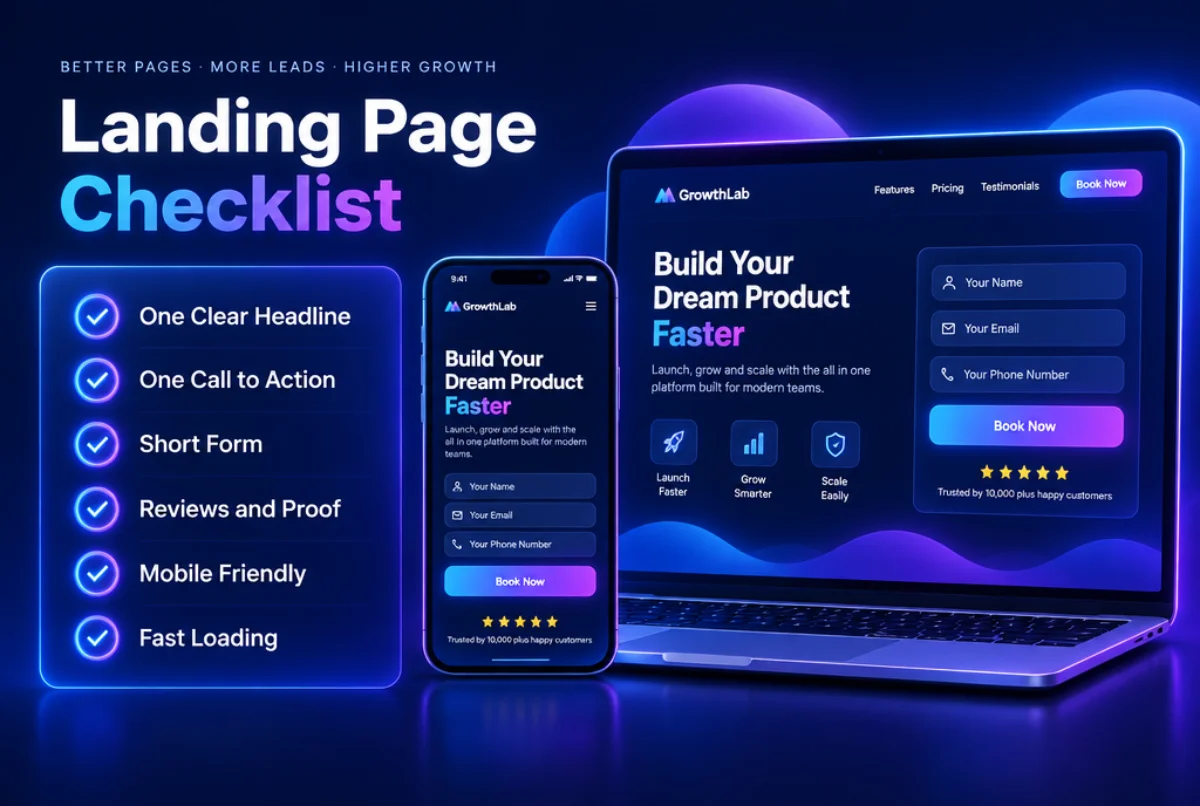
Pretty is not enough. A good landing page template should have these parts:
- One clear headline that says what the visitor gets.
- One call to action. One button, one goal. Extra links pull people away.
- A short form that asks only for what you need, like name, email and phone.
- Proof such as reviews, star ratings or before and after photos.
- A mobile friendly layout. Most local leads visit on a phone, so check the mobile preview first.
- Fast loading. Large images slow a page down. Compress them before you upload.
Once you pick a template, connect the form to a workflow so every new lead gets a text and an email right away. Speed of follow up matters as much as the design.
How to Customize GoHighLevel Templates the Right Way
We have set up a lot of GoHighLevel templates for clients. These habits save the most time and give the best results:
- Set your brand colors and fonts first. Change them in the page settings so they update across the whole page at once.
- Rewrite every headline. Sample text is generic. Use the words your customers really use.
- Swap the stock photos. Real photos of your team, work or product build more trust.
- Check every form. Make sure each form sends leads into the right pipeline and workflow.
- Add tracking. Place your analytics code and Facebook pixel in the funnel settings.
- Test on a phone. Fill in your own form and confirm the follow up text and email arrive.
Free vs Premium GoHighLevel Templates
The free GoHighLevel templates in the library are a solid start, and many agencies use them. The downside is that thousands of other accounts use the same designs, and they are not tied to a niche or a follow up system.
Premium GoHighLevel templates are built for one niche and one goal. They often come with copy written for that industry and forms already set up, so you change less and launch faster. Here is a quick way to decide:
- Use free templates if you are testing an idea or need a simple page today.
- Use premium templates if you build for clients and want a look that stands out.
- Use a full snapshot if you want the funnel plus the workflows, pipeline and emails ready to go.
Where to Get Ready Made GoHighLevel Templates
At GHLSnap, all of our GoHighLevel templates are built for real business use and delivered as a share link you can import in minutes. Our GoHighLevel funnel templates include coach landing pages, digital marketing sales pages, one page marketing sites and consultation funnels, most priced at $29. If you want the full system, our niche GHL snapshots bring the funnel together with workflows, pipelines and email templates for industries like roofing, HVAC, real estate and coaching.
Want everything at once? The GHLSnap bundle gives you the full collection for one price.
Final Thoughts
GoHighLevel templates are the fastest way to go from an empty account to a page that collects leads. Start in the Template Library if you want something free, use a share link to import a premium funnel, and always rewrite the copy, test the forms and connect a follow up workflow before you launch.
Ready to build? Get your HighLevel account if you do not have one yet, then browse the GHLSnap shop and pick a template that fits your niche.