You built a snapshot that works. Clients love it. Now you want other agencies to pay for it, and selling snapshots on the app marketplace is the fastest way to reach them.
For years the only way to do that was a share link and a payment button on your own site. That still works. But HighLevel now lets you list a snapshot as a paid product inside its own app marketplace, where agencies already go looking for tools.
This guide walks through selling snapshots on the app marketplace from start to finish. Every step below comes from the official HighLevel developer documentation, so you know it is current and correct.
What selling snapshots on the app marketplace actually means
Selling snapshots on the app marketplace means listing your prebuilt system inside the store that HighLevel builds into the platform. Agencies open it from inside their account and install tools with a click.
It started as a place for apps and integrations. It now also supports snapshots. That means your prebuilt system can sit next to established software products, in front of buyers who already own a GoHighLevel account and already know what a snapshot is.
That last part is the real value. You are not explaining what a snapshot is to a cold audience. You are selling to people who are already sold on the idea.
Why selling snapshots on the app marketplace beats a share link
Share links are fine, and plenty of sellers do very well with them. But the marketplace gives you four things a share link cannot.
- Discovery. Buyers browse the marketplace looking for solutions. Nobody browses your share link.
- Trust. A listing that passed HighLevel review looks safer than a link from a stranger.
- Recurring billing. You can charge monthly or yearly, not only once.
- Protection. HighLevel applies IP protection automatically, which stops buyers from repackaging and reselling your assets as their own.
That fourth point is the one experienced sellers care about most. Snapshot theft is a real problem when you sell by share link alone.
Before selling snapshots on the app marketplace, is yours ready?
Most rejections and most refunds come from the same thing. The snapshot was not finished.
Run this check first.
- Every workflow is named in plain language, not Copy of Copy of Workflow 3
- No test contacts, no personal phone numbers, and no client data anywhere inside it
- Every email and text uses merge fields, not one business name typed by hand
- Custom fields and custom values are set up so the buyer fills in details once
- You imported it into a clean empty account yourself and it worked
That last step is not optional. Importing into a fresh account is the only way to find the things that only worked because they lived in your account.
How to sell snapshots on the app marketplace
Selling snapshots on the app marketplace takes six steps, and the official HighLevel documentation is clear about each one.
Step 1: Register in the developer portal
Go to the HighLevel developer marketplace, create your developer account, and verify your email. This is a separate portal from your normal agency login.
Step 2: Create an app
Open My Apps and choose Create an App. Even though you are selling a snapshot, it is packaged as an app.
You will set three things here. App type should be Public so it appears in the store. Distribution decides whether you charge agencies or sub accounts. Listing type is either standard or white label.
Step 3: Add your app details
This is your storefront. Upload a logo, write a tagline and a description, and add your company name and website.
Add preview images or a demo video. Then add your customer support details, because buyers need somewhere to go when they get stuck.
Step 4: Set your pricing
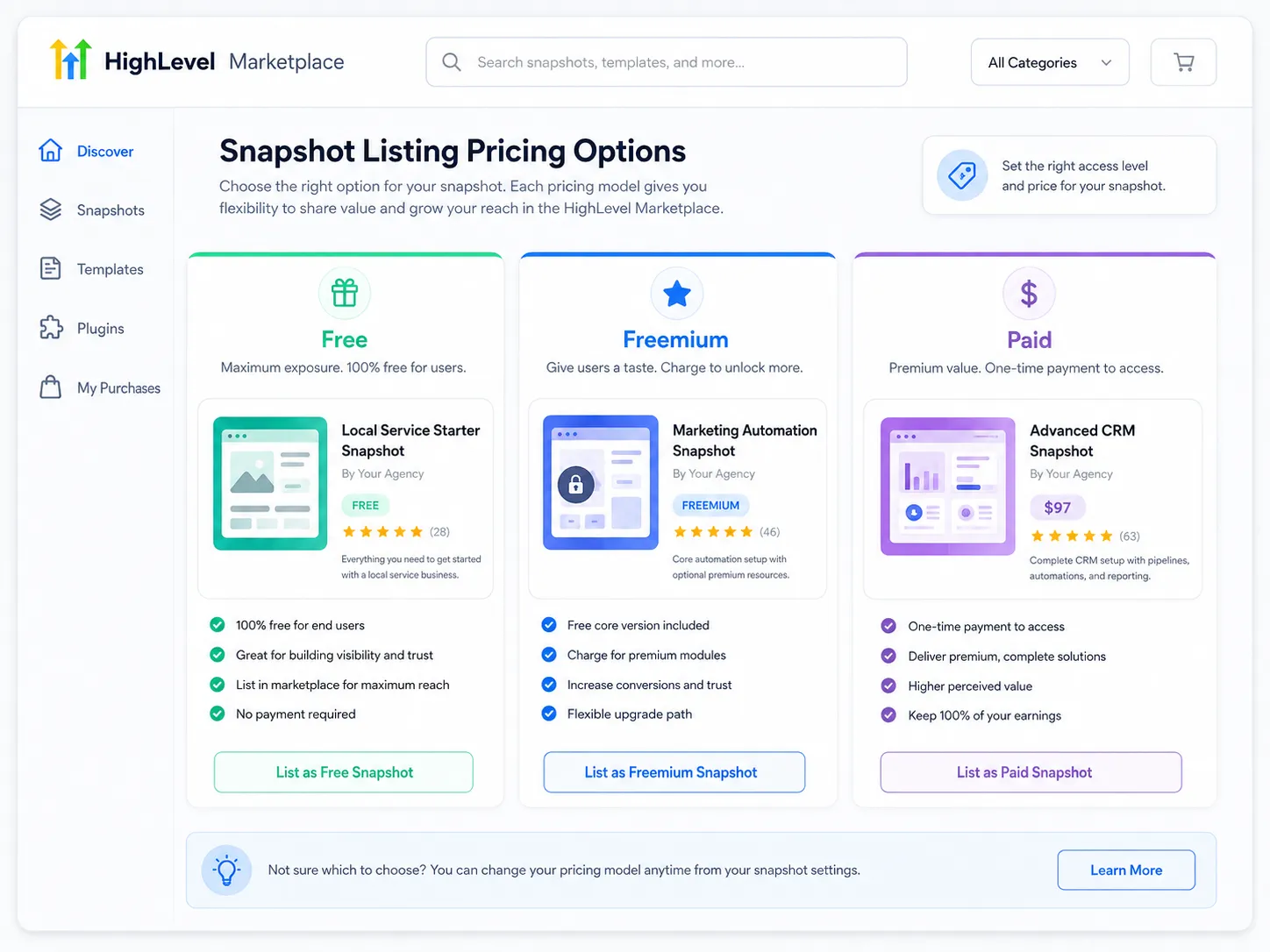
You can list as free, freemium, or paid. Paid supports one time, monthly, or yearly billing.
Note that pricing applies to the app, not to individual snapshots inside it.
Step 5: Add your snapshot
Select the snapshot from your HighLevel account, give the app a name, and review the assets that are included. The portal generates a marketplace link for your snapshot, and IP protection is applied at that point.
Step 6: Submit for review
When everything is configured, click Submit for Review. According to the official HighLevel support guide, the review takes about seven to ten days and includes a white label compatibility check.
Plan your launch around that window. Do not announce a date until you are approved.
Agency or sub account distribution?
This choice decides who pays you, and it is easy to get wrong.
Agency distribution charges the agency directly. One agency pays once and can use the snapshot across their own accounts. Simple to sell, smaller total revenue.
Sub account distribution charges each sub account that installs it. An agency with forty clients pays forty times. Bigger revenue, harder sale.
Most sellers start with agency distribution because the buying decision is easier. Sub account billing suits products that deliver ongoing value to each individual business, not one time setup work.
Standard or white label listing?
A white label listing means your product can appear inside agencies that have rebranded the platform for their clients.
HighLevel recommends white label for wider reach, and reviewers check white label compatibility during approval. It matters because a huge share of the buying market is agencies running the platform under their own brand. A listing that breaks their branding is a listing they will not install.
The limits of selling snapshots on the app marketplace
Three restrictions catch sellers by surprise.
One snapshot per app. If you sell five niche snapshots, you create five apps. You can create unlimited apps, so this is more admin than a real ceiling.
Editing after publishing is restricted. The documentation is clear that changes after publication are limited. Treat your first submission as close to final, not as a rough draft you will tidy later.
Pricing sits at the app level. You cannot price individual assets inside one listing differently.
Plan your product line around these three facts and the process is smooth. Ignore them and you will be rebuilding listings.
There is a habit worth building here. Keep a change log for every snapshot you sell. Write down what you changed and when. Because editing after publication is restricted, your log becomes the plan for your next version, and it also gives buyers a reason to trust that the product is maintained.
Why listings get rejected
Review is not a formality. When selling snapshots on the app marketplace, the most common reasons for a knock back are simple.
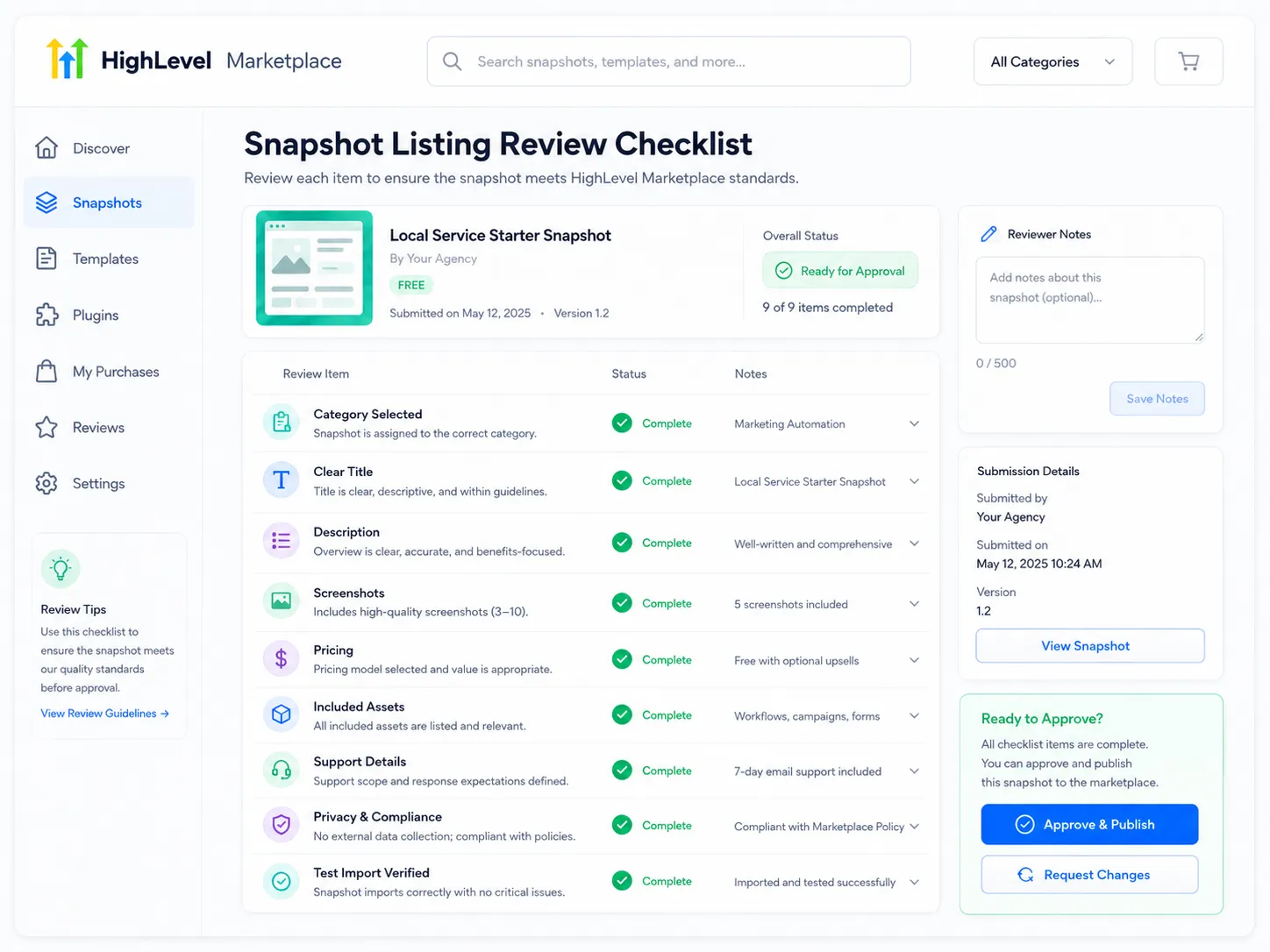
- The description is vague and does not say what the buyer receives
- Screenshots show another brand, or show test data
- Support contact details are missing or fake
- The snapshot breaks under white label branding
- The listing promises features the snapshot does not contain
Fix all five before you submit and your approval is usually straightforward.
How to make money selling snapshots on the app marketplace
Approval is not sales. Once you are live, three things move the needle.
Sell the outcome, not the asset count. Nobody wants twelve workflows. They want missed calls answered and appointments booked. Write the description that way.
Show the system working. A ninety second video of a lead coming in and the automation firing sells better than any feature list.
Make setup obvious. Include a short guide covering what the buyer must connect after import, such as their domain, phone number, and A2P registration. Products that are easy to launch get better reviews, and reviews drive installs.
What to charge when selling snapshots on the app marketplace
Pricing is where most first time sellers guess, and guessing costs money.
Three things decide your price. How narrow the niche is, how much work the buyer avoids, and how much support you are willing to give.
A broad snapshot that suits any business is easy to build and hard to charge for, because buyers can find something similar for very little. A snapshot built for one trade, with the right pipeline stages, the right message wording, and the right follow up timing, is worth far more, because it saves a specialist weeks of work.
Recurring pricing is worth considering when you keep updating the product. If you fix things, add workflows, and keep it current, a monthly or yearly plan is fair to both sides. If you build once and walk away, charge once. Buyers can tell the difference and they will say so in reviews.
Whatever you choose, write down what is included and what is not. Most refund requests come from a buyer who expected setup help that was never promised.
Marketplace, your own store, or both?
Selling snapshots on the app marketplace gives you discovery and protection. Your own store gives you control over price, bundles, upsells, and the customer relationship.
Most serious sellers do both. They use the marketplace to be found, and their own store to sell bundles and higher priced builds. If you want to see how a dedicated store presents products, browse our GoHighLevel snapshots and look at how each listing explains what is inside.
Your next step
Pick one snapshot. Import it into a clean account and fix everything that breaks. Then write the description as if you were explaining it to a business owner who has never heard the word snapshot.
Do those two things properly and selling snapshots on the app marketplace takes an afternoon. If you would rather start from a proven base instead of building from scratch, our guide to selling GHL snapshots covers the business models that work best.