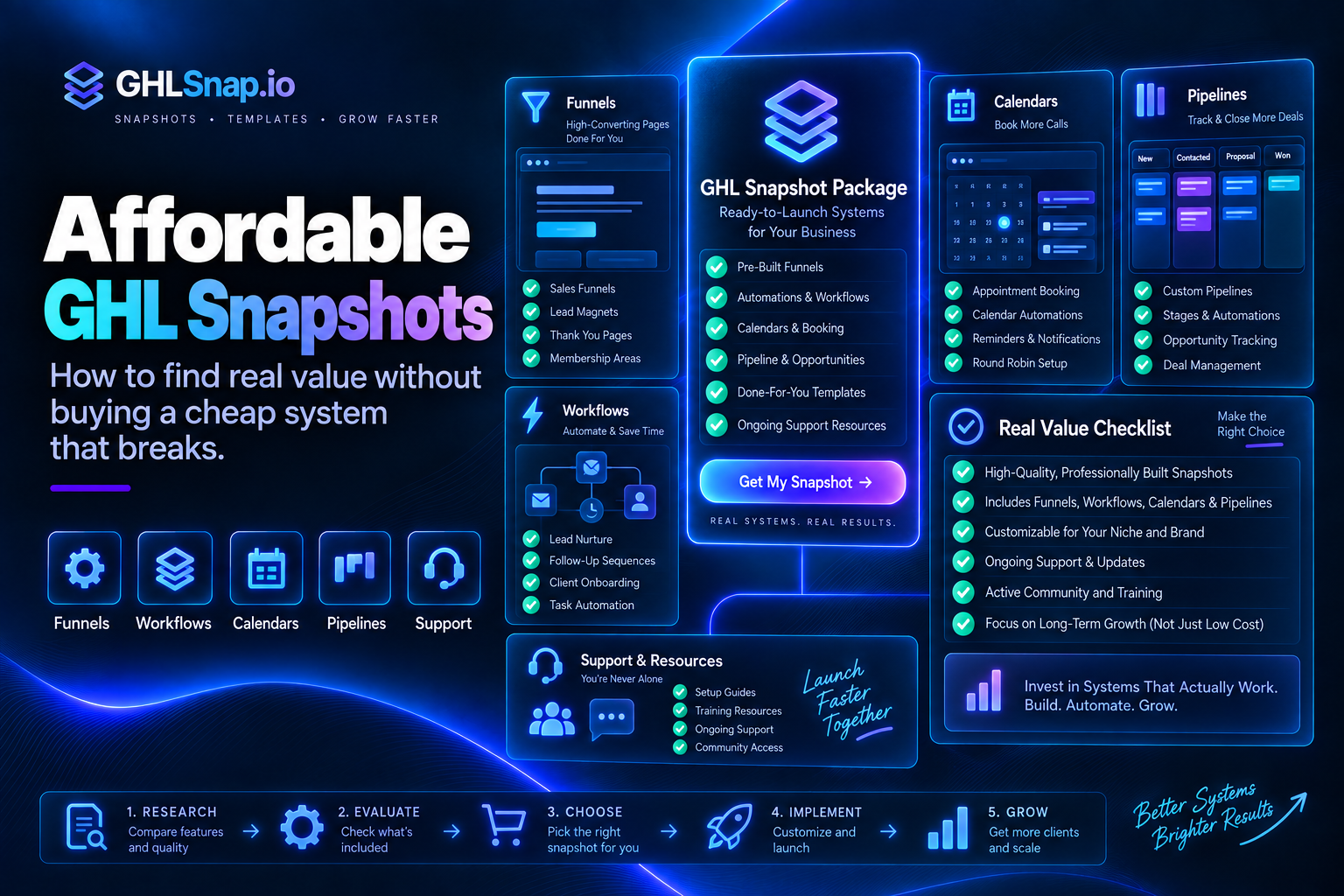
Quick Answer: Affordable GHL snapshots provide a tested starting system at a sensible total cost. A strong package should include documented funnels, workflows, calendars, pipelines, forms, custom fields, and clear installation support. A cheap GoHighLevel snapshot is only a good deal when the assets work together, match your use case, and can be maintained after import.
Price matters, but value depends on what the snapshot replaces. A well-built package can reduce setup time and prevent common workflow mistakes. A low-priced template with missing logic, broken links, or no documentation can create more work than building from scratch.
What Is a GoHighLevel Snapshot?
A GoHighLevel snapshot is a reusable package of account configuration that can be loaded into another HighLevel location. Depending on how it was built, it may include funnels, websites, workflows, calendars, pipelines, forms, surveys, custom fields, tags, email templates, and other settings.
HighLevel explains that snapshots copy selected configuration rather than live contact records or conversation history. Buyers should review the current official HighLevel snapshot documentation before importing or distributing a package.
Affordable GHL Snapshots vs Cheap GoHighLevel Snapshots
Affordable describes a system that delivers useful assets and support for a reasonable investment. Cheap describes price alone. The distinction matters because the purchase price is only one part of the total cost.
- An affordable snapshot has a clear use case and a complete customer journey.
- Its workflows use understandable names, triggers, filters, and stop conditions.
- Forms, calendars, pipelines, fields, and messages are connected correctly.
- The seller explains what must be customized after import.
- Documentation and support reduce implementation risk.
Explore GHL snapshot options and compare them by included systems, not only by headline price.
What Should Be Included?
Funnels and websites
Pages should have a logical structure, mobile-friendly layouts, editable sections, and clear placeholders for your offer, proof, policies, and contact details.
Forms, surveys, and calendars
Each entry point should collect only the information the process needs. Calendar settings must be reviewed for availability, time zone, reminders, and team assignment.
Pipelines and opportunities
Pipeline stages should represent real decisions in the customer journey. Avoid packages with many decorative stages that nobody can define or report on.
Workflows and messages
Check the trigger, filters, timing, sender identity, reply handling, opt-out logic, goals, and stop conditions. Sample messages should be editable and appropriate for your audience.
Custom fields, values, tags, and naming rules
These elements make the assets reusable. They should follow a consistent naming system and avoid duplicate fields that make reporting unreliable.
Installation guidance
A useful snapshot includes an import checklist, required integrations, customization steps, testing instructions, and a list of items that do not transfer automatically.
How to Evaluate Total Value
- Define the use case. Choose a snapshot built for your industry, offer, or workflow goal.
- List included assets. Confirm the exact funnels, workflows, calendars, pipelines, and messages.
- Estimate customization. Count the pages, copy, branding, domains, phone numbers, email settings, integrations, and compliance details that must change.
- Review support. Ask whether help covers import only or also configuration and troubleshooting.
- Test the journey. Submit a form, receive the messages, book a meeting, reply, cancel, reschedule, and check the pipeline.
- Plan maintenance. Identify who will audit workflows and update assets when the offer changes.

Red Flags in a Cheap Snapshot
- No inventory of included assets
- No screenshots, walkthrough, or demo
- Generic workflows with unclear names
- Messages that make unsupported claims
- No reply, opt-out, or error handling
- No documentation for domains, email, calendars, or phone setup
- Copied branding or assets without clear usage rights
- No explanation of support, updates, or refund terms
When a Bundle Makes Sense
A bundle can be more economical when an agency serves several niches or needs funnels, workflows, and campaigns for multiple offers. Review the GHLSnap bundles and compare the assets you will actually deploy. Buying more templates does not create value if the team cannot configure and maintain them.
Snapshot Installation Checklist
- Back up or document the destination account before major changes.
- Import into a test location when possible.
- Replace logos, colors, business details, custom values, and legal links.
- Connect domains, sending services, phone numbers, calendars, payments, and integrations.
- Review every workflow in draft or safe mode before activation.
- Test forms, links, mobile layouts, replies, bookings, cancellations, and pipeline updates.
- Train the team and record the final configuration.
For a deeper walkthrough, see how to create new snapshots in GoHighLevel.
Frequently Asked Questions
How much should a GHL snapshot cost?
There is no universal price. Cost depends on the number and quality of assets, the niche, customization, documentation, licensing, and support. Compare total implementation cost rather than price alone.
Can I customize a purchased snapshot?
Most snapshots are intended to be customized. Confirm the license and replace all branding, business information, offers, sender details, links, and compliance content before launch.
Do snapshots include contacts and conversations?
Snapshots are generally used for reusable configuration, not live customer data. Confirm the current transfer behavior in HighLevel documentation.
Should I activate workflows immediately after import?
No. Review and test every workflow first. Imported logic may reference fields, calendars, users, numbers, domains, or integrations that are not configured in the destination account.
Choose Value, Not Just the Lowest Price
The best affordable GHL snapshots save time because their parts work together and the seller explains how to launch them safely. Start with a clear use case, inspect the complete asset list, calculate customization, and test the full customer journey.
Browse GoHighLevel snapshot templates or contact GHLSnap for help choosing a package.